5. AI Analysis
Connect an OpenAI-compatible LLM to analyze your five-band EEG features.
Enable Recording
AI analysis requires five-band feature recording. On the Setup page, toggle Record five-band features ON, then start collection. Frames are saved to IndexedDB automatically.
Choose a Provider
| Provider | Base URL | Needs API Key? |
|---|---|---|
| OpenAI | api.openai.com/v1 | Yes |
| DeepSeek | api.deepseek.com/v1 | Yes |
| Ollama | localhost:11434/v1 | No |
| Custom | Your URL | Depends |
Click Test model to verify connectivity before running analysis.
Ask a Question
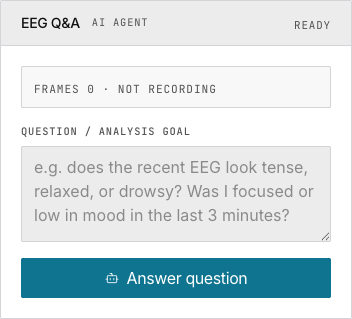
Type a natural language question. Examples: "Does the recent EEG look tense or relaxed?" / "Was I focused in the last 3 minutes?" / "Compare alpha/beta between halves." Click Answer question — results stream in real time.
Response sections: Reasoning → Evidence → Suggestions → Notes.
Running Locally with Ollama
ollama pull llama3
ollama serve
Configure provider "Ollama", model "llama3", leave API key empty. All data stays local.
Under the Hood
Only pre-computed band power values (δ,θ,α,β,γ) are sent to the LLM. Raw 250 Hz waveform samples are never transmitted.
Next
→ Manage your AI conversations and recordings → Read the full AI integration reference