1. Quick Start
Go from zero to live EEG waveforms in under 5 minutes.
You'll Need
- Chrome or Edge on desktop (version 89+)
- Your EEG device connected via USB
- The app running on
localhost:5173(or any HTTPS origin)
Step 1: Confirm Hardware Parameters
Open the app. You land on the Setup page. The first card is Hardware Parameters.
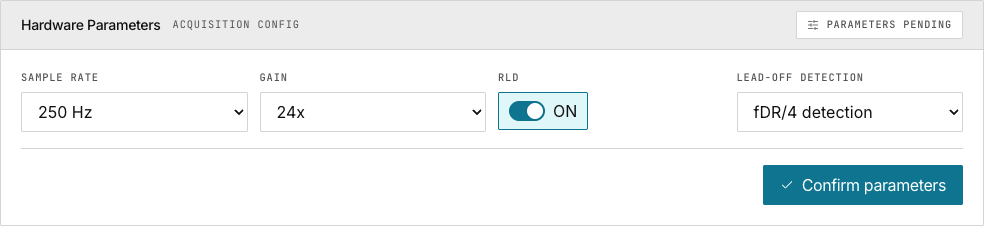
- Leave the defaults: Baud rate 921600, Sample rate 250 Hz
- Click Confirm parameters
- The badge turns green: Parameters locked
Step 2: Add a Site Binding
Scroll down to Acquisition site binding.
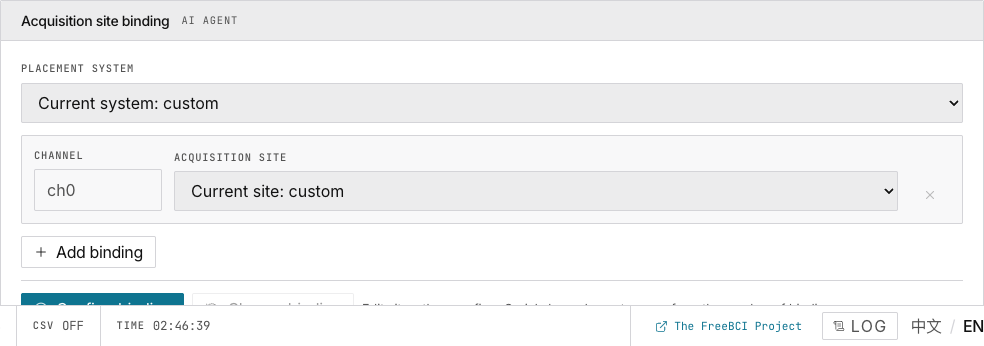
- Choose a placement system (e.g. 10-20 International)
- Click Add binding — each row is one channel
- Type a site name (e.g.
Fp1,Cz,O1) - Click Confirm binding
Step 3: Open the Serial Port
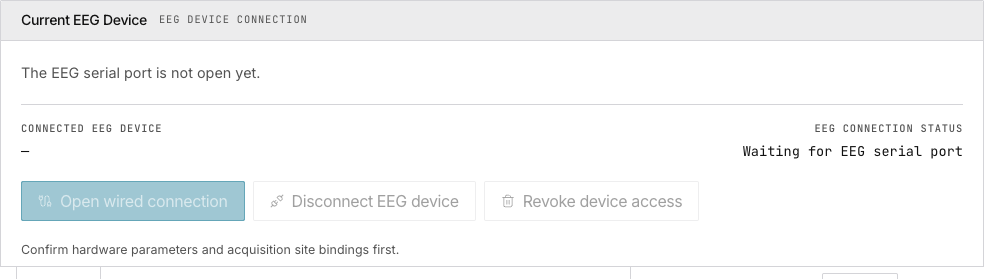
- Click Open wired connection
- Select your EEG device from the browser dialog
- Wait for the green Connected badge
Step 4: Start the Data Stream
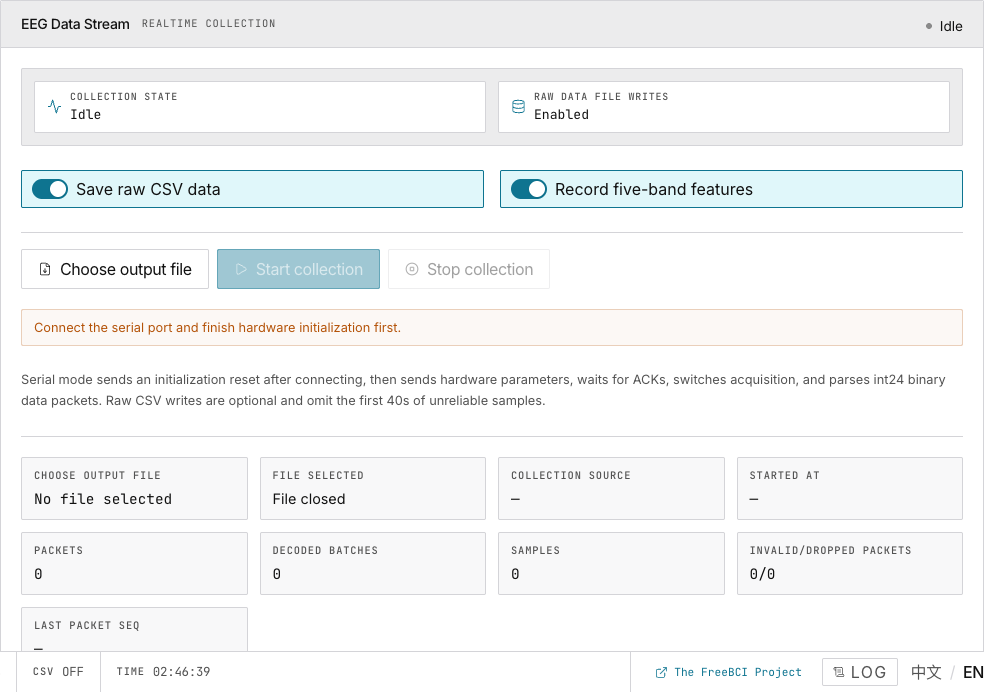
- Click Start collection
- The header badge changes to STREAMING
- Bottom bar shows
SR 250,PKTcounting
Step 5: Watch Your Brainwaves
Click the Live tab in the left sidebar.
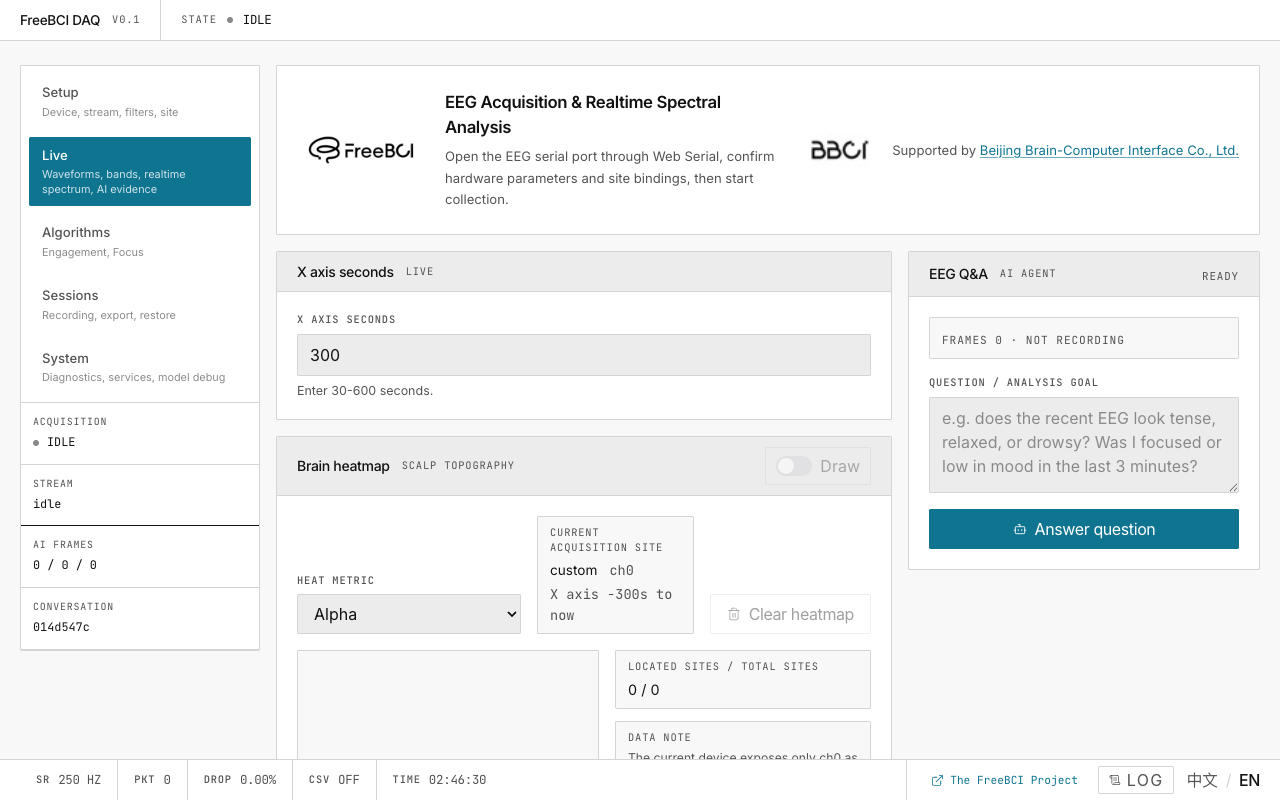
You should see raw waveforms, filtered waveforms, and after 2 seconds — the spectrum histogram and EI trend appear.
Next
→ Configure hardware parameters in detail → Explore the live monitoring dashboard